File:ChartCompilerSpec.jpeg and External Extra Sensors: Difference between pages
(HansR uploaded a new version of File:ChartCompilerSpec.jpeg) |
m (→Operation) |
||
| Line 1: | Line 1: | ||
== |
== Introduction == |
||
{|align=right |
|||
Restart with new name |
|||
|__TOC__ |
|||
Modified ALL/DAILY RainFall keyword. Changed to DayRain |
|||
|} |
|||
Sensors which the user has available but which are not logged by CumulusMX, CumulusUtils has an option available to integrate these sensors with the standard CMX sensors and plot them in whatever combination you want. As an example I use [https://cumulus.hosiene.co.uk/viewtopic.php?t=20242 the Geiger Counter] which caused this addition to be implemented. |
|||
== Operation == |
|||
#All conditions for the [[Extra Sensors]] module must be met. |
|||
#CumulusUtils must be run once with the command ''ExtraSensors'' or ''Website'' to create the required parameter in the section ''[ExtraSensors]'' in the inifile. |
|||
#Set the name (or names) for External Extra Sensor in the parameter ''ExternalExtraSensors'' in the section ExtraSensors in ''cumulusutils.ini'' (e.g. ExternalExtraSensors=GeigerCounter). |
|||
#Make sure you have a datafile(s) available in the data directory of CMX with the following name: ''<sensor name>yyyyMM'' e.g. ''GeigerCounter202203.txt'' |
|||
#Make sure you run ''UserAskedData'' to make sure the External Sensor Data are available for the website in the known JSON format. |
|||
The datafile(s) have the following plain text format: |
|||
datetime,value |
|||
(datetime format: ''dd/MM/yy, HH:mm'', value format: ''double'') |
|||
== Output == |
|||
The output is completely integrated in the Extra Sensor module and can not be separated from it. |
|||
== Inifile Parameters == |
|||
The ''External Extra Sensor'' module has the following inifile parameter (see [[cumulusutils.ini]]): |
|||
[ExtraSensors] |
|||
See [[Extra Sensors]] |
|||
ExternalExtraSensors=GeigerCounter[, sensor2 [,sensor3]] => A comma separated list of strings naming one or more External Extra Sensors the user wishes to use |
|||
== Inner Working == |
|||
When all conditions for the Extra Sensors are met and an External sensor is defined, the External Sensor is added to the internal lists of both the [[Extra Sensors]] as the [[ChartsCompiler]] and the internal datastructures of the fixed names as defined in CDL are expanded. When using the plotvariable for the external sensor the same name is used as in the definition in the inifile. So for ''ExternalExtraSensors=GeigerCounter'', the user would e.g. see a chart definition appear (when the automatic mode is selected) as follows: |
|||
Chart External Title Trend chart of Extra External Sensors |
|||
Plot Extra GeigerCounter |
|||
EndChart |
|||
If more than one external sensor, in automatic mode all would be plotted in the one chart named External. If that is not what you want then switch to manual mode - i.e set ''UserModificationExtraSensorCharts=true'' - modify your ''CutilsCharts.def'' and run again. All other working is the same as in the standard [[Extra Sensors]] module. |
|||
[[Category:CumulusUtils]] |
|||
Revision as of 19:11, 21 August 2025
Introduction
Sensors which the user has available but which are not logged by CumulusMX, CumulusUtils has an option available to integrate these sensors with the standard CMX sensors and plot them in whatever combination you want. As an example I use the Geiger Counter which caused this addition to be implemented.
Operation
- All conditions for the Extra Sensors module must be met.
- CumulusUtils must be run once with the command ExtraSensors or Website to create the required parameter in the section [ExtraSensors] in the inifile.
- Set the name (or names) for External Extra Sensor in the parameter ExternalExtraSensors in the section ExtraSensors in cumulusutils.ini (e.g. ExternalExtraSensors=GeigerCounter).
- Make sure you have a datafile(s) available in the data directory of CMX with the following name: <sensor name>yyyyMM e.g. GeigerCounter202203.txt
- Make sure you run UserAskedData to make sure the External Sensor Data are available for the website in the known JSON format.
The datafile(s) have the following plain text format:
datetime,value
(datetime format: dd/MM/yy, HH:mm, value format: double)
Output
The output is completely integrated in the Extra Sensor module and can not be separated from it.
Inifile Parameters
The External Extra Sensor module has the following inifile parameter (see cumulusutils.ini):
 [ExtraSensors]
 See Extra Sensors

 ExternalExtraSensors=GeigerCounter[, sensor2 [,sensor3]]  => A comma separated list of strings naming one or more External Extra Sensors the user wishes to use
Inner Working
When all conditions for the Extra Sensors are met and an External sensor is defined, the External Sensor is added to the internal lists of both the Extra Sensors as the ChartsCompiler and the internal datastructures of the fixed names as defined in CDL are expanded. When using the plotvariable for the external sensor the same name is used as in the definition in the inifile. So for ExternalExtraSensors=GeigerCounter, the user would e.g. see a chart definition appear (when the automatic mode is selected) as follows:
 Chart External Title Trend chart of Extra External Sensors
   Plot Extra GeigerCounter
 EndChart
If more than one external sensor, in automatic mode all would be plotted in the one chart named External. If that is not what you want then switch to manual mode - i.e set UserModificationExtraSensorCharts=true - modify your CutilsCharts.def and run again. All other working is the same as in the standard Extra Sensors module.
File history
Click on a date/time to view the file as it appeared at that time.
| Date/Time | Thumbnail | Dimensions | User | Comment | |
|---|---|---|---|---|---|
| current | 11:39, 27 August 2025 | 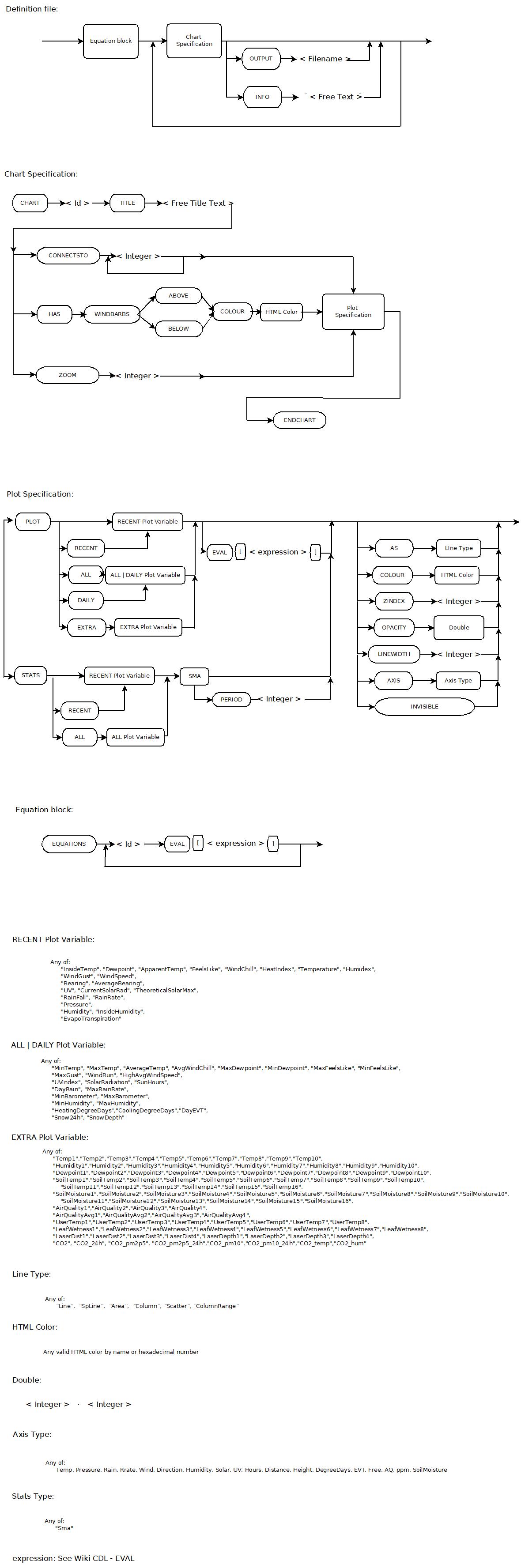 | 1,180 × 3,552 (261 KB) | HansR (talk | contribs) | |
| 19:51, 8 January 2025 | 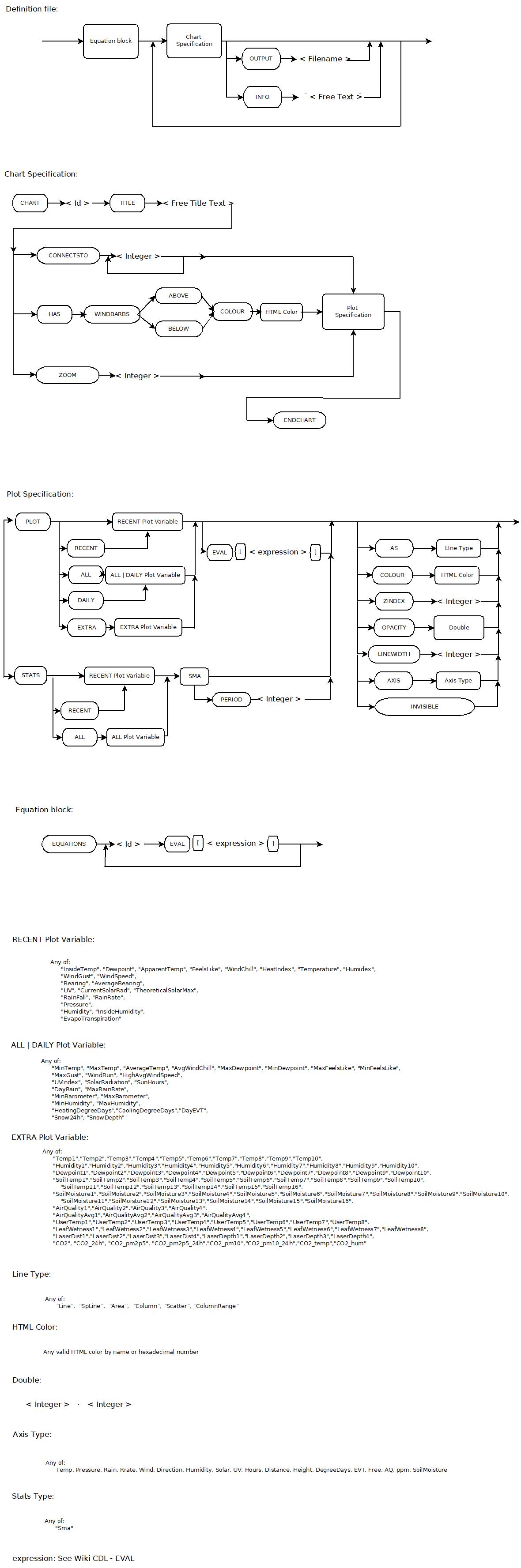 | 1,180 × 3,552 (320 KB) | HansR (talk | contribs) | ||
| 05:32, 9 October 2024 | 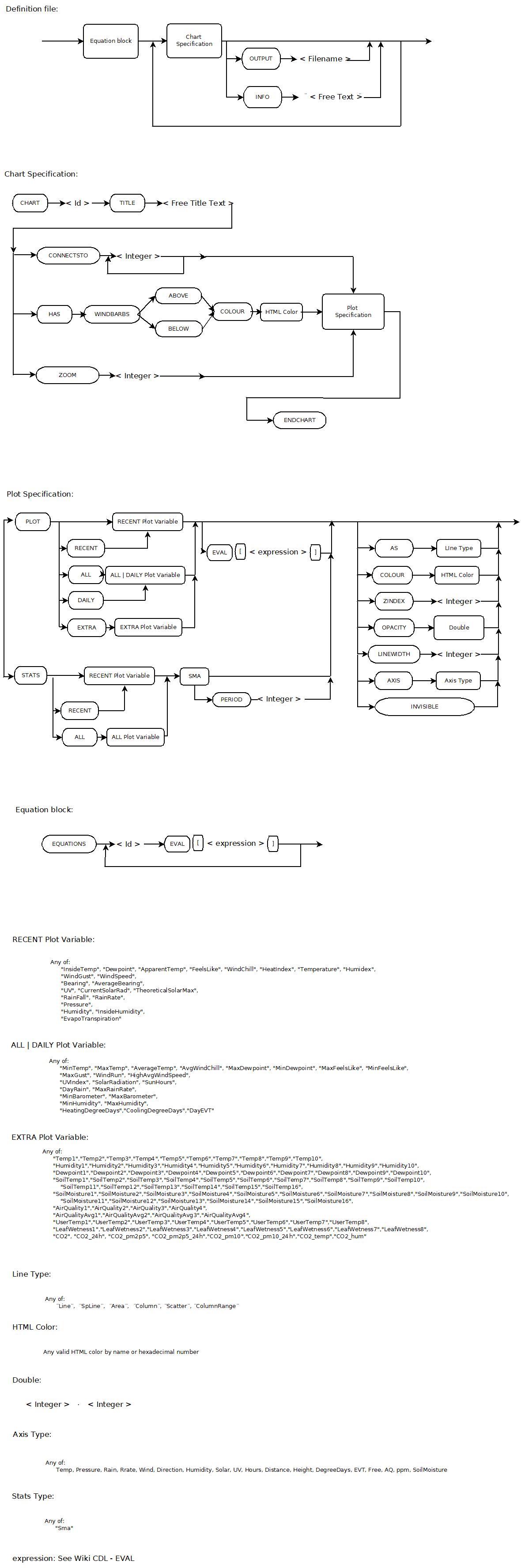 | 1,180 × 3,552 (311 KB) | HansR (talk | contribs) | ||
| 10:21, 18 January 2024 | 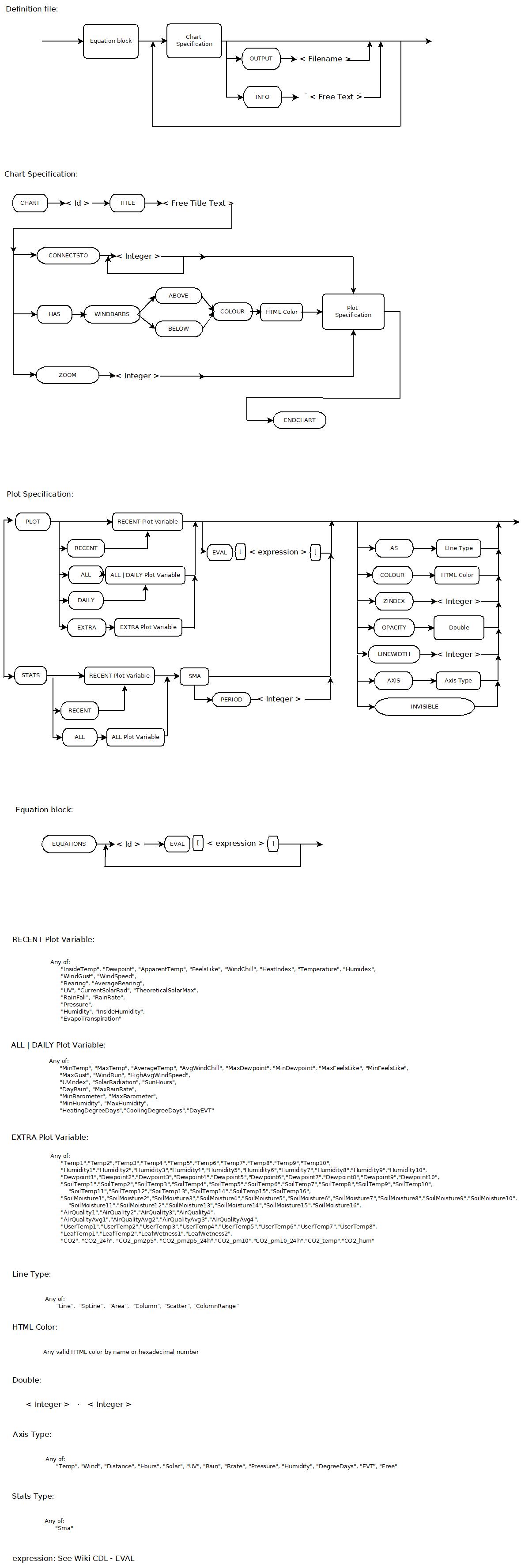 | 1,180 × 3,552 (298 KB) | HansR (talk | contribs) | ||
| 17:20, 2 December 2022 | 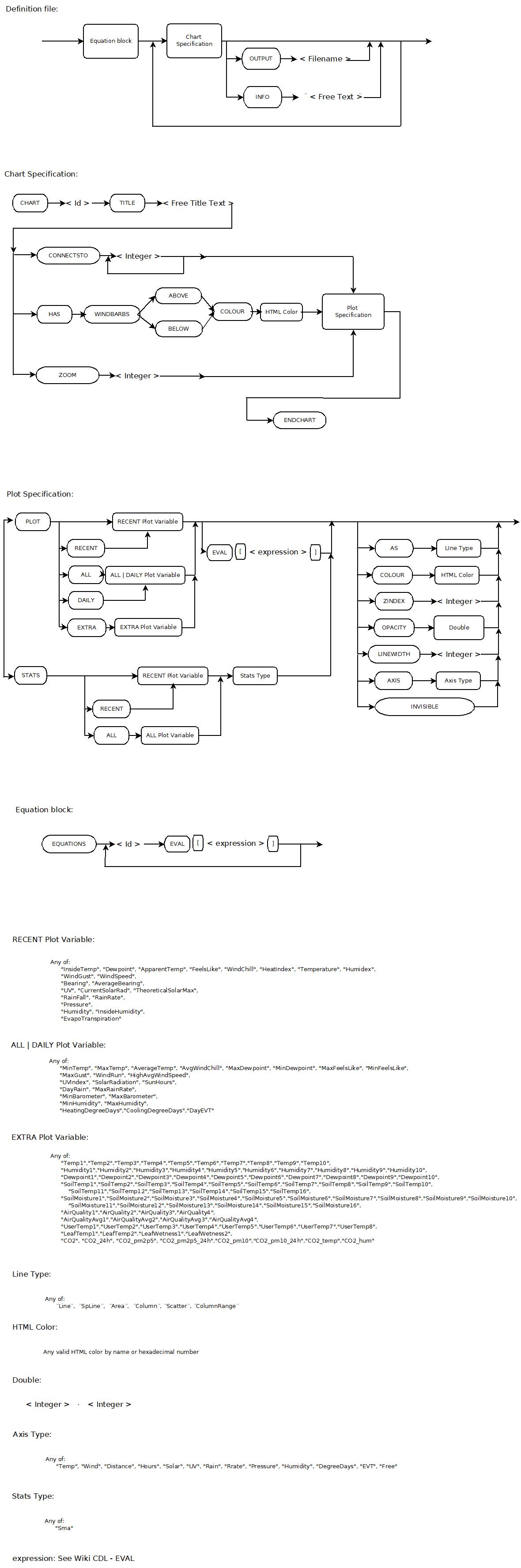 | 1,180 × 3,552 (296 KB) | HansR (talk | contribs) | ||
| 11:14, 28 September 2022 | 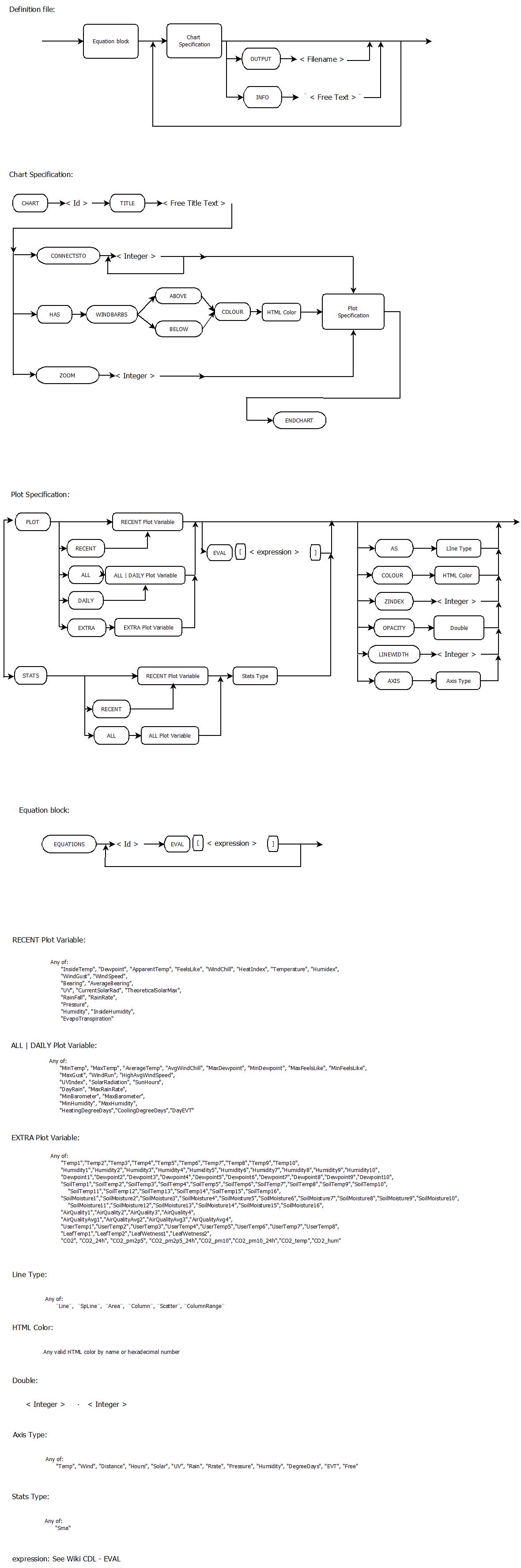 | 1,180 × 3,552 (284 KB) | HansR (talk | contribs) | ||
| 19:30, 21 September 2022 | 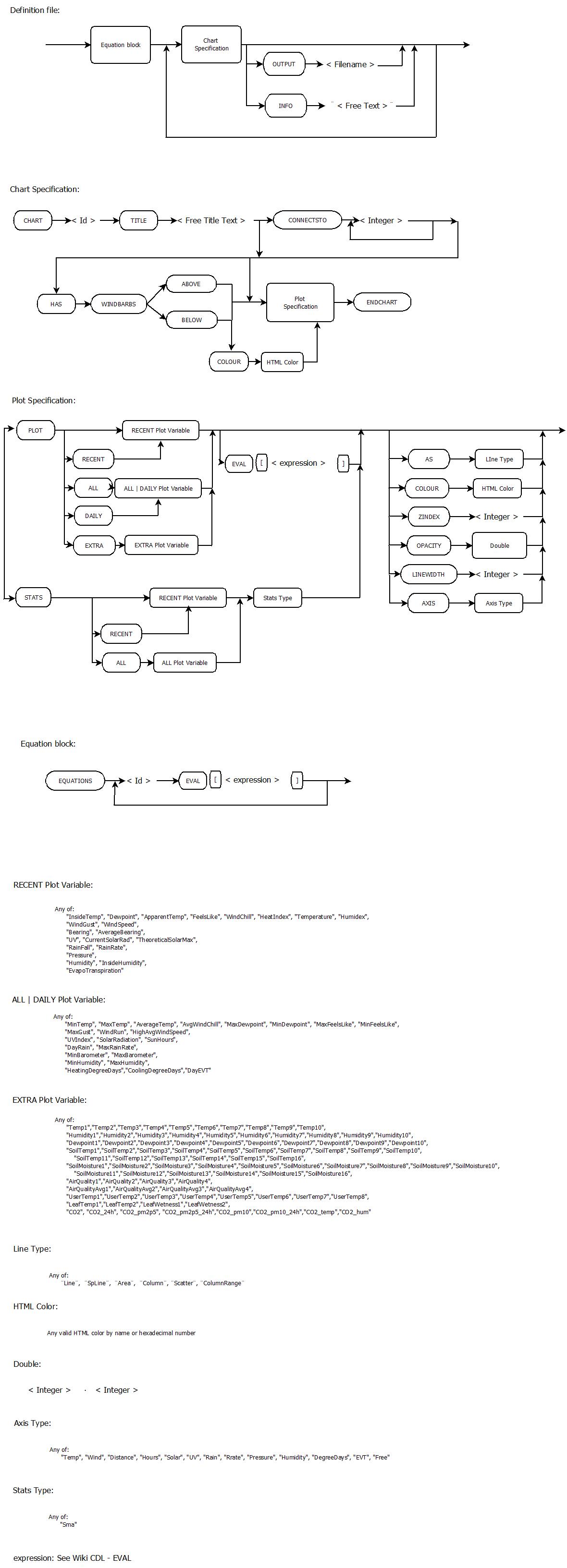 | 1,180 × 3,266 (286 KB) | HansR (talk | contribs) | ||
| 09:15, 2 July 2022 | 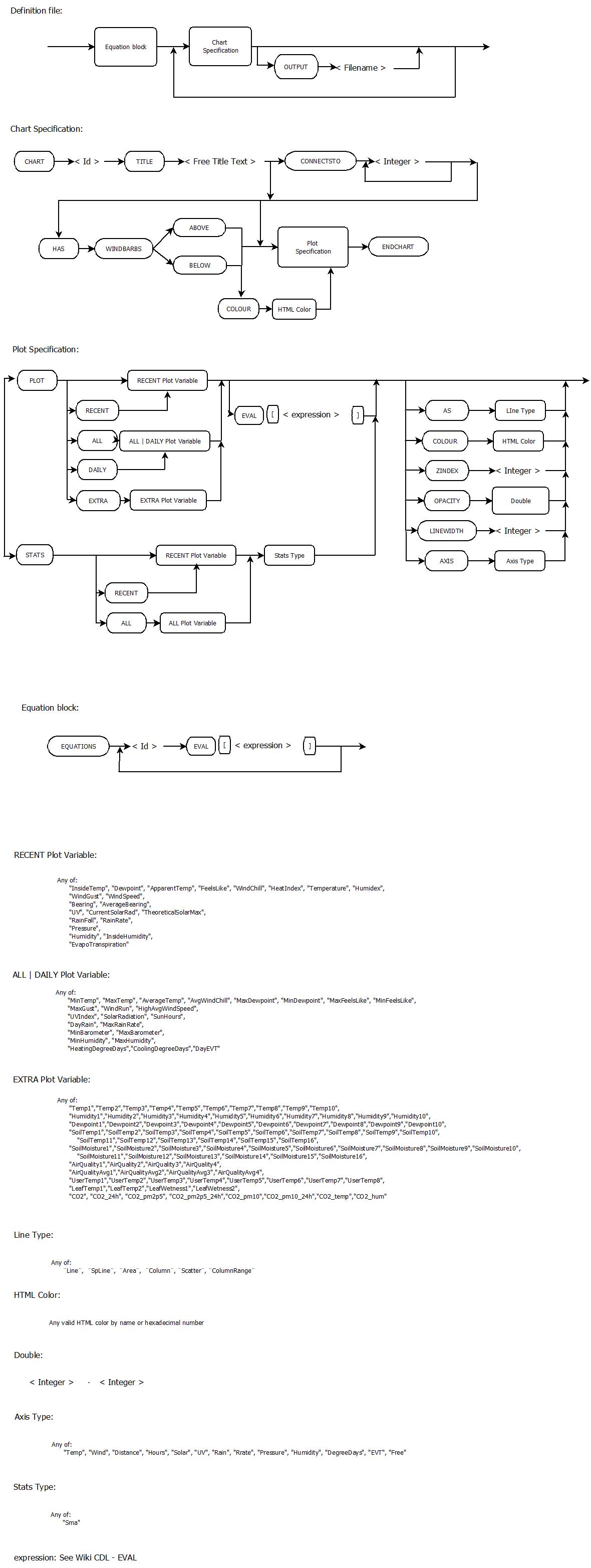 | 1,180 × 3,129 (271 KB) | HansR (talk | contribs) | ||
| 13:05, 26 June 2022 |  | 1,177 × 2,947 (273 KB) | HansR (talk | contribs) | ||
| 15:41, 21 June 2022 |  | 1,177 × 2,947 (272 KB) | HansR (talk | contribs) |
You cannot overwrite this file.
File usage
The following page uses this file:


